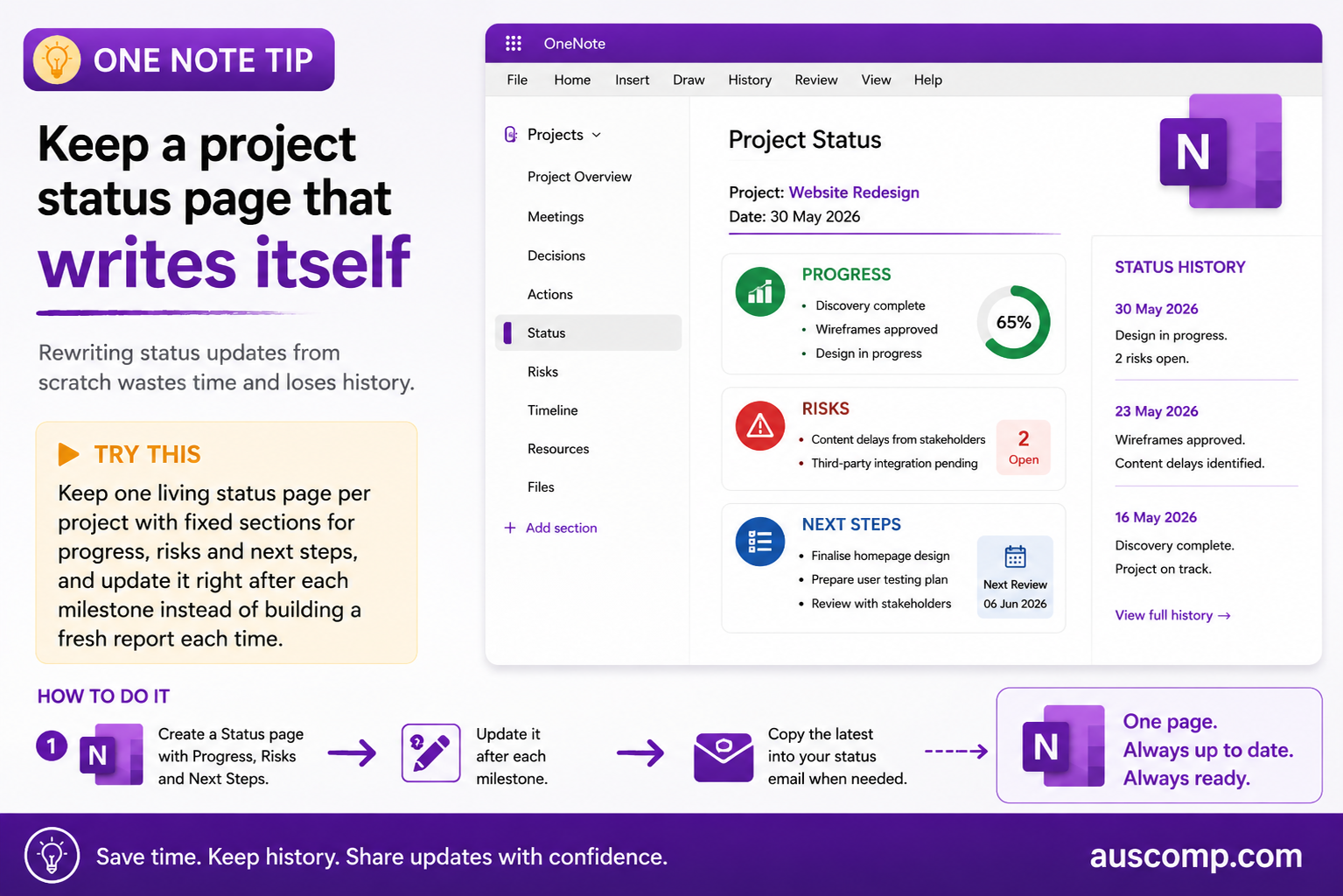
Keep a project status page that writes itself

Projects · OneNote

Rewriting status updates from scratch wastes time and loses history.

▶ Try this

Keep one living status page per project with fixed sections for progress, risks and next steps, and update it right after each milestone instead of building a fresh report each time.

How to do it

  1. Create a Status page with Progress, Risks and Next Steps
  2. Update it after each milestone
  3. Copy the latest into your status email when needed

💡 Want this set up for you? Our Projects Management Solution gives you the ready-made structure out of the box.

Get new Microsoft 365 tips every week

Practical, no-fluff tips to help you work smarter in Microsoft 365. Straight to your inbox.
Just signup below.


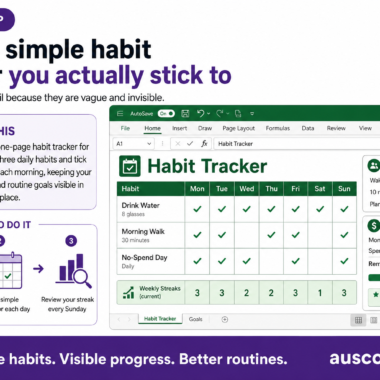
Build a simple habit tracker you actually stick to
Assess your Microsoft 365 risk for free
Auscomp All Access Pass Copilot-Ready

Everything we make. One price.

Every Auscomp solution for Microsoft 365 – from Copilot-ready OneNote systems and Excel tools to the full template library – in one pass. Nothing to choose. Nothing to compare.

  • Copilot-ready – structured so Microsoft 365 Copilot can search & answer from your notes
  • Every solution on the site, unlocked
  • Everything new we release while you're a member
  • Instant download, no Microsoft login, no add-in to install
  • Independent since 1995
$99 / year
Get the All Access Pass →

Auscomp is independent and not affiliated with Microsoft.

My Cart
Recently Viewed
Categories