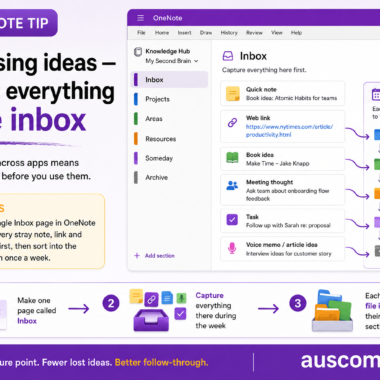
Use one OneNote inbox to capture ideas before they scatter

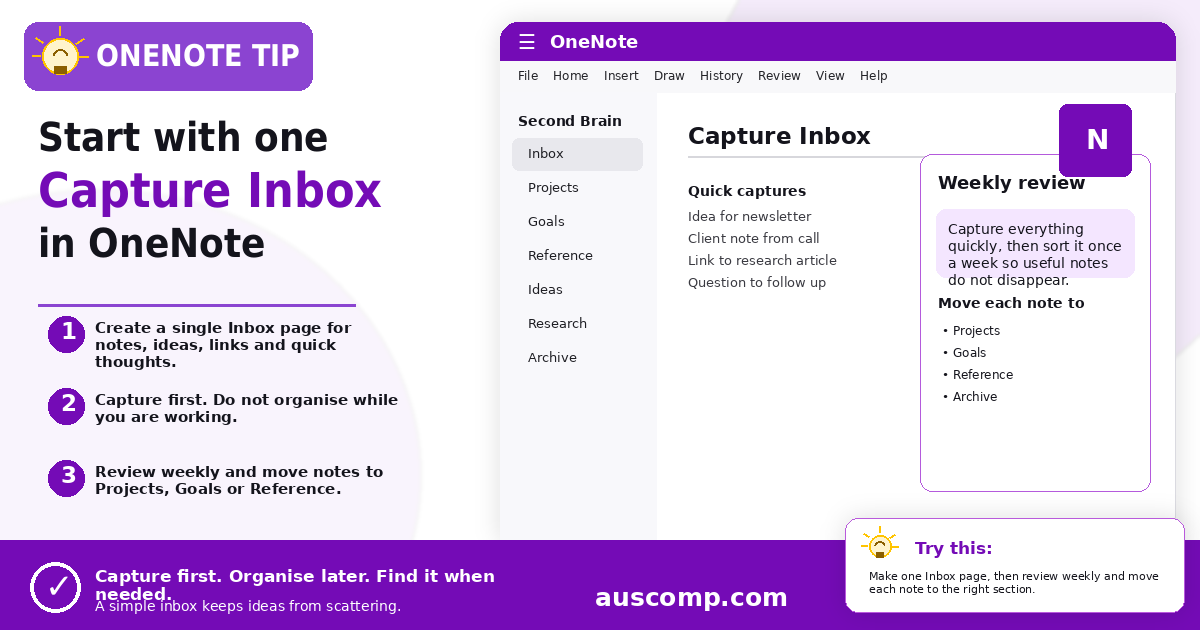
Second Brain · OneNote

Give every note, idea, link and thought one temporary landing place before you organise it.

▶ Try this

Create one Inbox page in your OneNote notebook. Capture notes, ideas, links and quick thoughts there during the week, then review it once a week and move each item to Projects, Goals, Reference or Archive.

💡 Want this set up for you? Our Second Brain for OneNote gives you the ready-made structure out of the box.

Get new Microsoft 365 tips every week

Practical, no-fluff tips to help you work smarter in Microsoft 365. Straight to your inbox.
Just signup below.

Turn one OneNote notebook into a project brain
Build a simple SOP hub in OneNote
Auscomp All Access Pass

Everything we make. One price.

Every Auscomp solution for Microsoft 365 – OneNote, Copilot, Outlook, Excel, Teams, Power BI, MS Project and MS Lists – in one pass. Nothing to choose. Nothing to compare.

  • Every solution on the site, unlocked
  • Everything new we release while you're a member
  • Instant download, no Microsoft login, no add-in to install
  • Independent since 1995
$99 / year

Renews yearly so your access does not lapse. One price, always – we don't run sales on the Pass.

Get the All Access Pass →

Auscomp is independent and not affiliated with Microsoft.

My Cart
Recently Viewed
Categories